
One Ads login exposes many clients
Portfolio access should not imply every Ads property belongs in every report.
For ecommerce agencies
KPIAds gives each client or brand a project boundary, then connects the right store, Ads properties, and campaigns to that project.
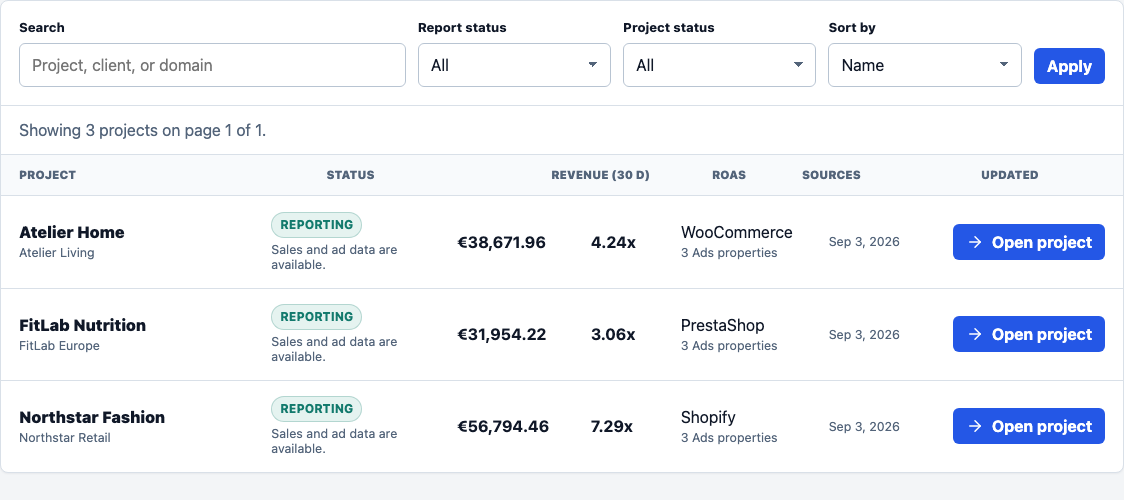
See every project without turning client reporting into one shared spreadsheet.
Agency reporting gaps
Agencies often have broad platform access, but a client report only works when the right store, property, and campaigns are selected.
Portfolio access should not imply every Ads property belongs in every report.
Store revenue, provider ROAS, refunds, and date ranges need visible context.
Each project needs its own store, Ads properties, campaigns, currency, and timezone.
KPIAds charges at workspace level. Stores and Ads properties consume plan capacity.
Workflow
Represent each client, brand, or store as a separate reporting context.
Shopify, WooCommerce, and PrestaShop connections stay attached to one project.
Authorize Meta, Google Ads, or TikTok once at workspace level.
Only the campaigns that belong to the client feed that project report.
Inside the project
The reporting view is built around one selected project, so source comparison and campaign performance do not borrow data from another client.
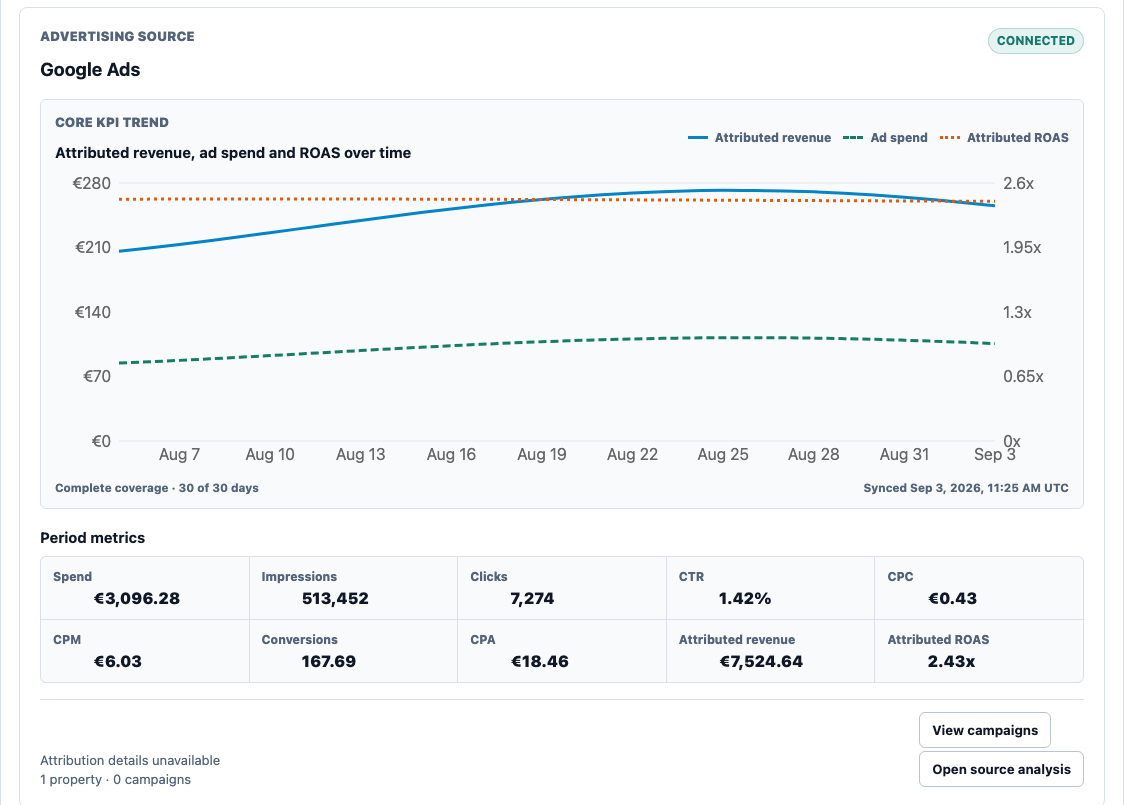
Compare channels inside the selected client project.
Private beta
Validate the workflow with a free workspace before moving more accounts into KPIAds.