
Platform ROAS can disagree with store revenue
Provider attribution and ecommerce revenue answer different questions. KPIAds keeps the distinction visible.
For ecommerce teams
KPIAds puts sales, ad spend, ROAS, orders, and campaign metrics in the same project view so performance is easier to explain.
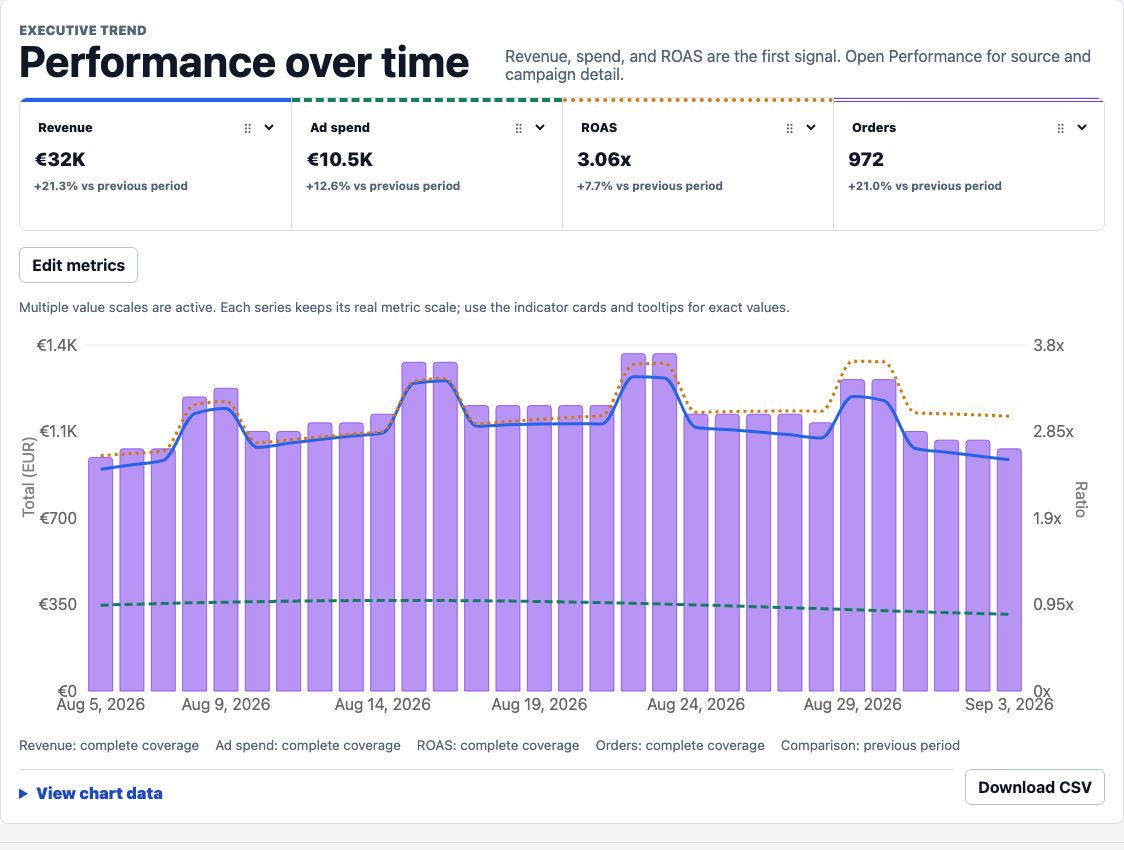
Review the business result beside the advertising activity that influenced it.
Provider attribution and ecommerce revenue answer different questions. KPIAds keeps the distinction visible.
Clicks, CTR, CPC, conversions, spend, and provider ROAS are more useful when read beside the project result.
Freshness, coverage, currency, and selected campaigns should be checked before trusting a report.
Workflow
Bring daily aggregated sales from Shopify, WooCommerce, or PrestaShop.
Add Meta, Google Ads, or TikTok properties through OAuth when available.
Choose the campaigns that belong to the ecommerce project.
Use the project dashboard to compare sales, spend, ROAS, and campaign metrics.
Campaign performance
KPIAds is designed to show source-level and campaign-level metrics after the correct store and Ads property have been attached to the project.
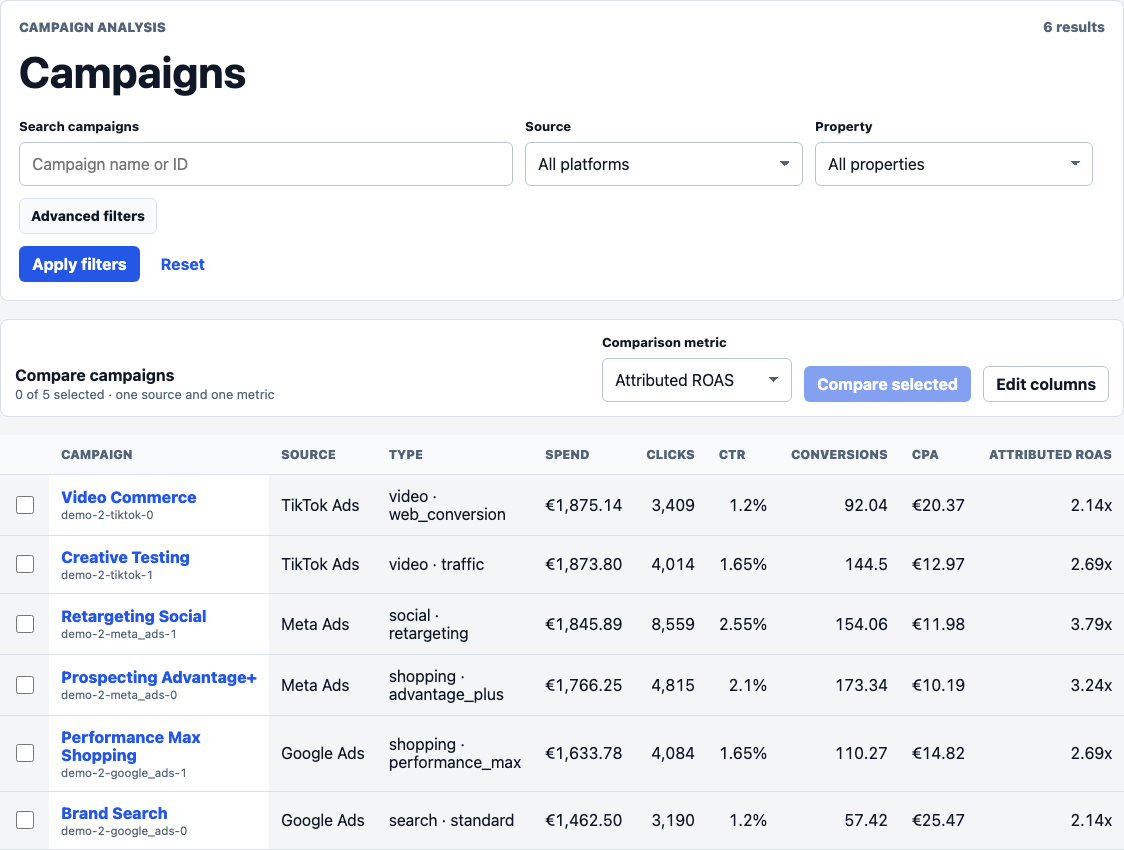
Compare channel performance before deciding where to inspect campaigns.
Free plan available
The free plan is designed to validate the workflow with one store and one Ads property.